

Group Appointment Scheduling
PracticeSuite now supports group patient management and appointment scheduling, making it easy to create patient groups — such as therapy or support groups — and book them under a single appointment. The system handles group attendance and automatically sends appointment records to each participant’s patient file, removing the need to create separate appointments for every group member. Charting support for group sessions will be available in a future update.
1. Building Your Group
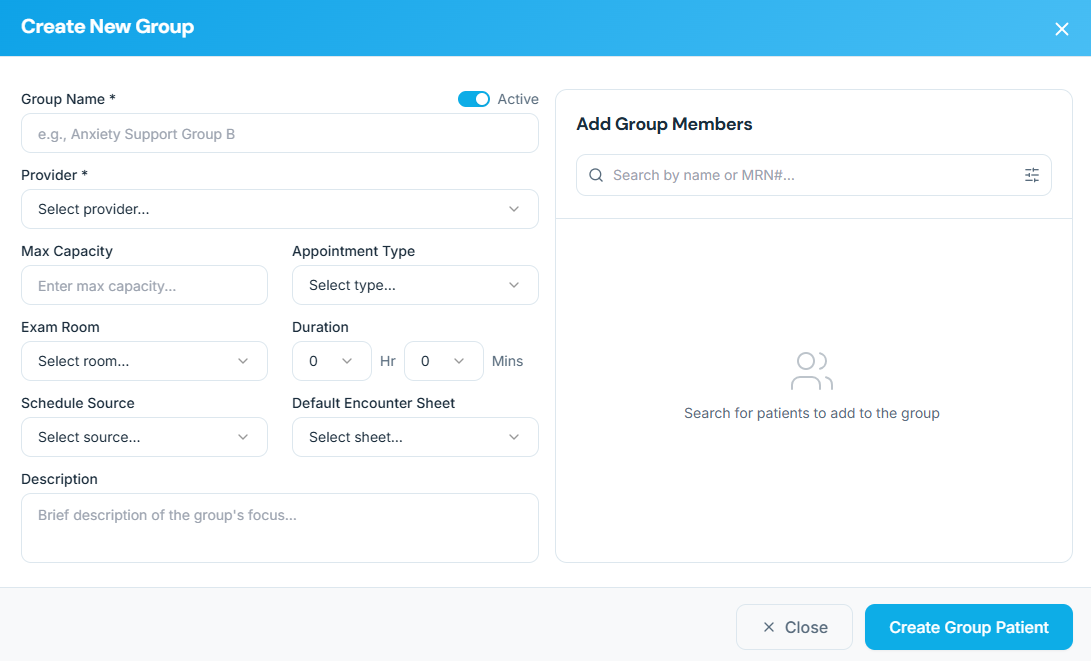
A patient group can be added from the Create New Group screen. Group Details: You can set the group name (e.g., “Anxiety Support Group”), choose a provider, and set a max capacity so the group doesn’t get overfilled.
Member List: You can search for existing patients and add them to the group list. Please refer to Image 1.
- Capacity Control: You can set a limit (e.g., “12 people max”). This prevents overbooking and ensures the room isn’t crowded.
- The “Room & Duration” Defaults: You can pre-set that the “AA Session” always happens in “Room B” for “60 minutes,” so you don’t have to type it in every time you book.
- Member Management: You can easily add or remove patients from a group as their treatment plans change.
Once a group is created, there is an option to edit. Please see images 2 and 3.
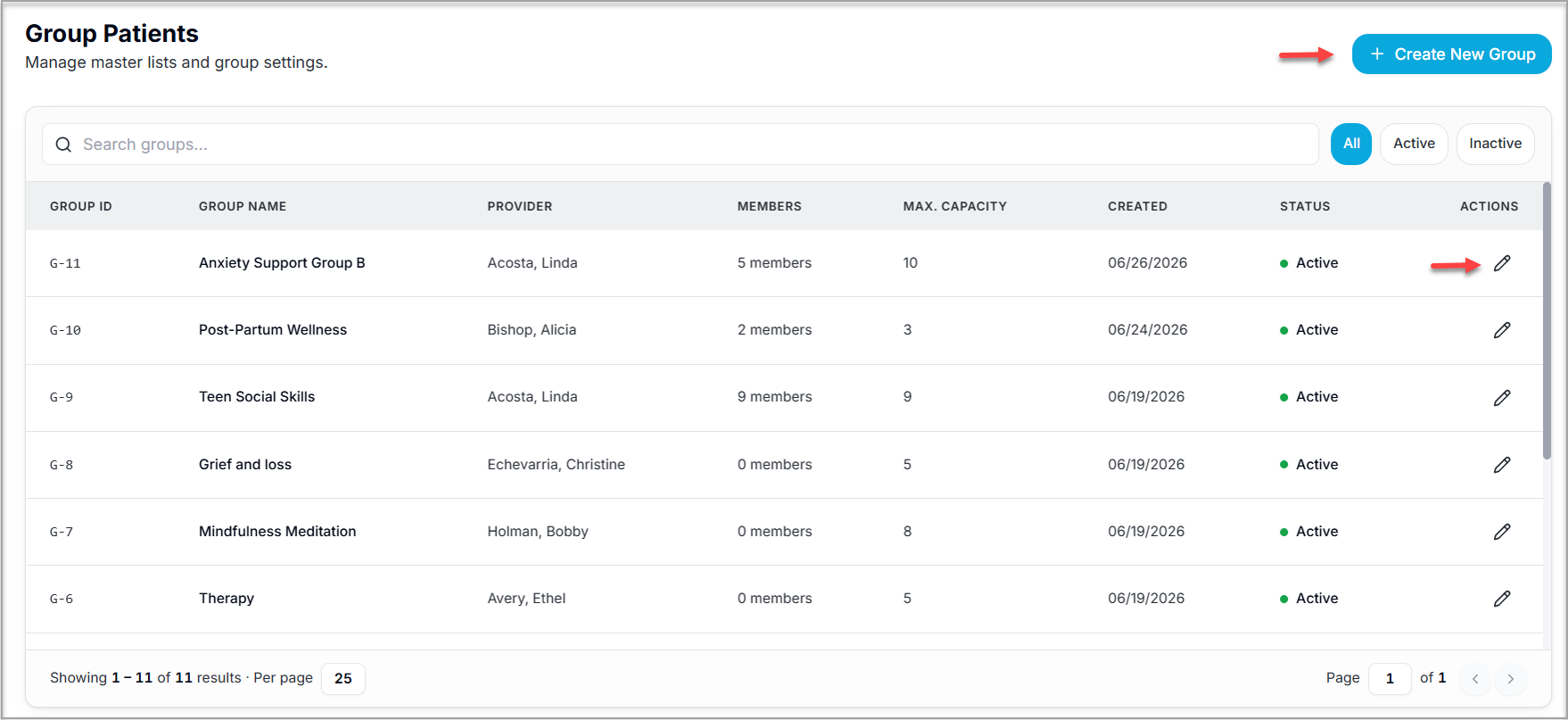 Image 2
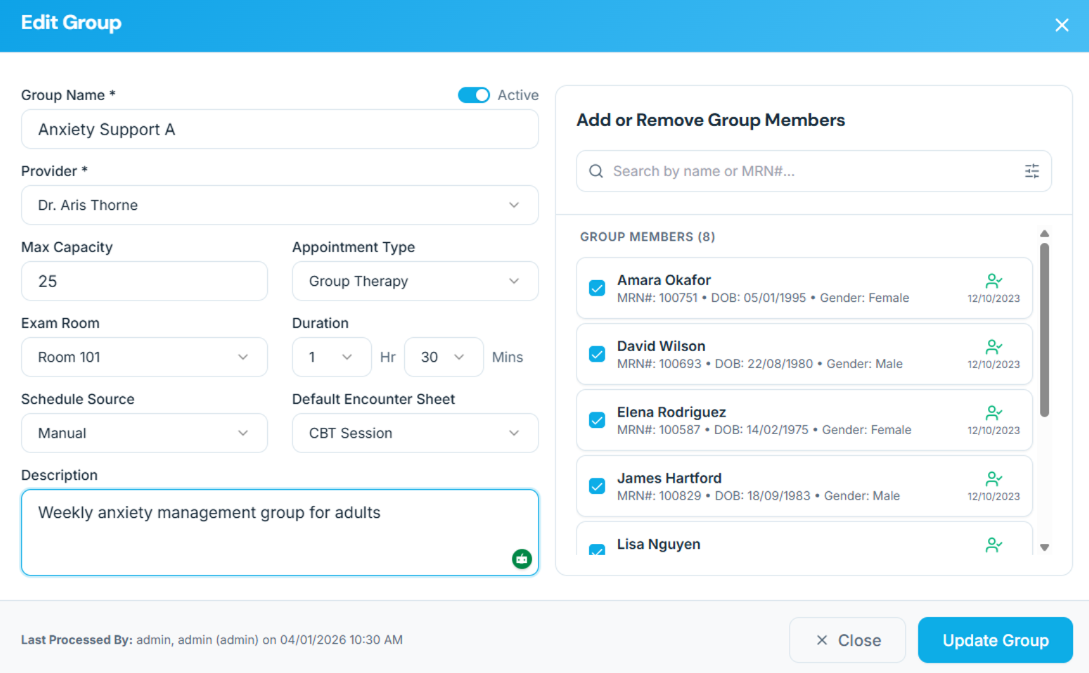
2. A Smarter Way to Schedule
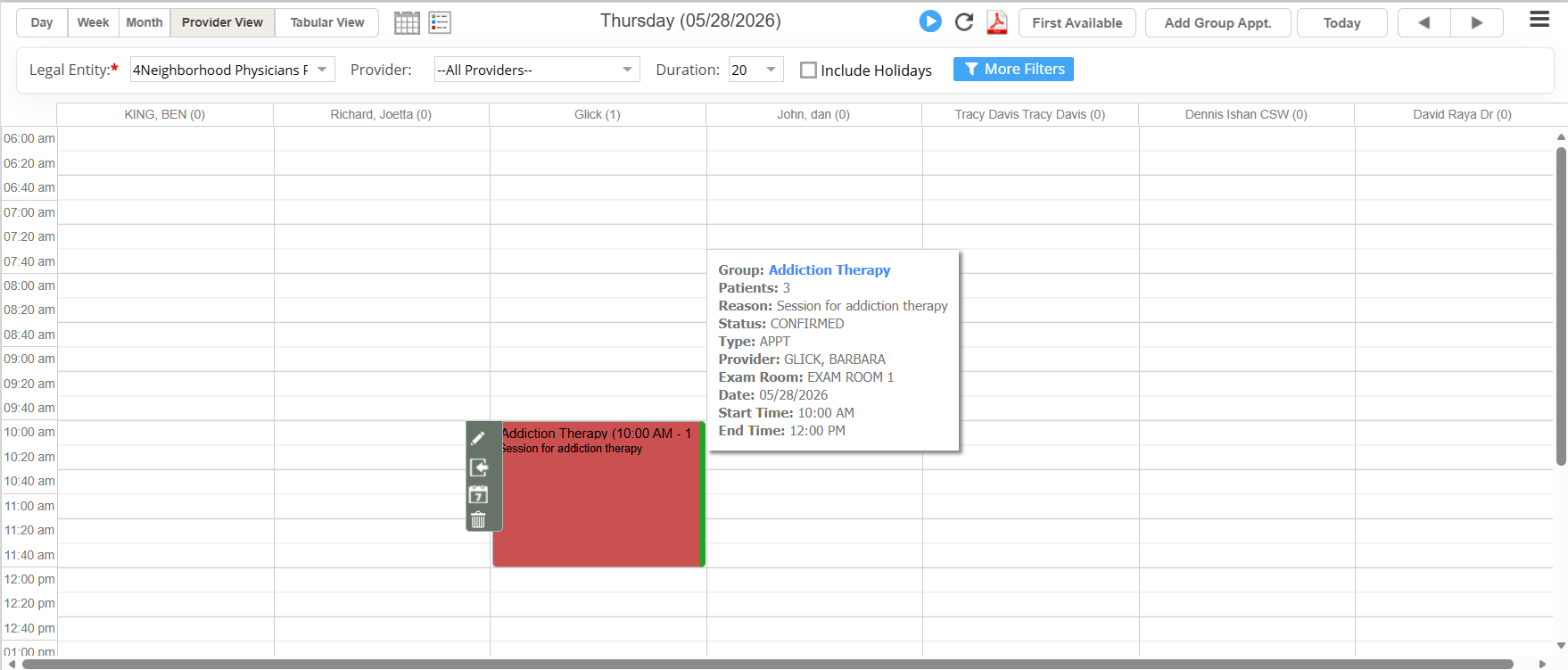
Quick Entry: Whether you use a new button at the top of the screen or a simple right-click on the calendar, you can jump straight into booking a group.
Scheduler:
One-Click Booking: A new Add Group Appt. button is placed at the top of the calendar.
Right-Click Menu: You can also right-click any slot on the calendar to start a group booking.
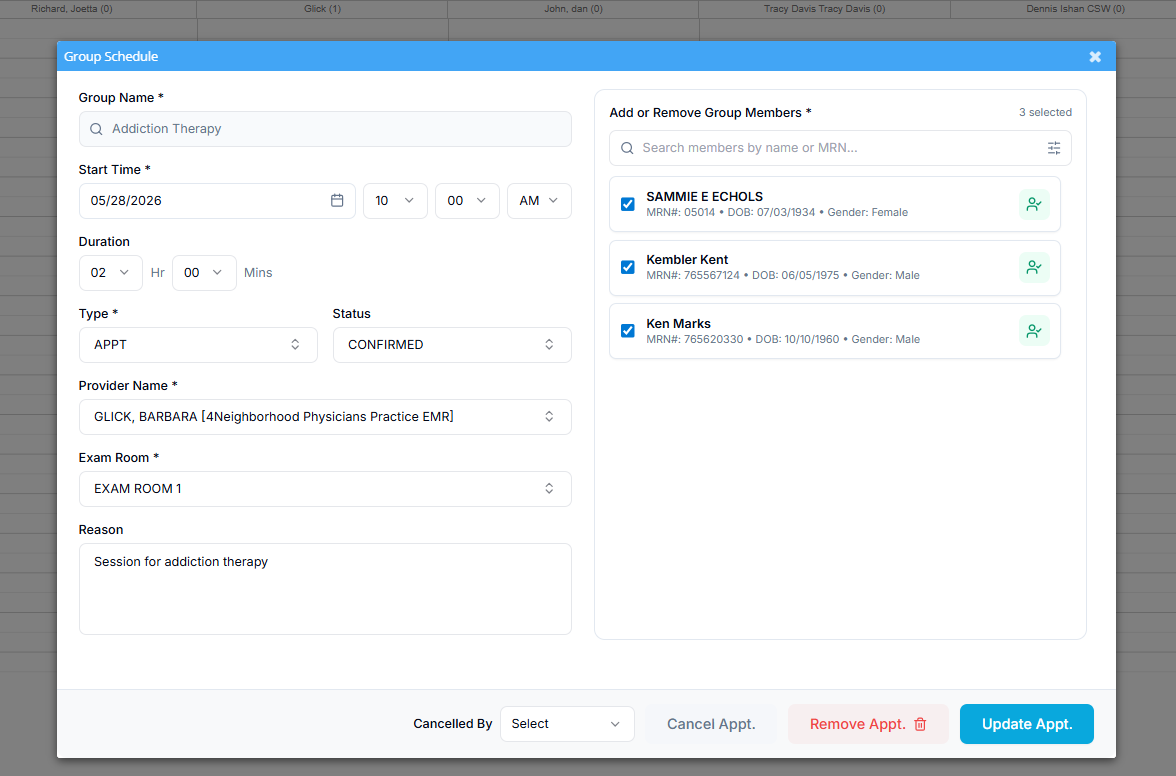
Users can enter the appointment information and add/remove patients on the fly from this screen. For an existing appointment, unchecking the patient when editing a group appt. and saving it removes the individual patient’s appointment.
3. Patient Tracking
Open a patient’s file to view their associated groups in the new section. This makes it easy to see their full participation history at a glance.
Summary of Benefits
Efficiency: Schedule 20+ people at once instead of one by one.
Accuracy: Manage room capacity and group providers in one place.
Compliance: Ensures every participant has a legal medical record generated automatically from the group session.
Bulk and Auto Eligibility Integration
1. How it Works: The Group Workflow
Instead of clicking every individual name, staff can now manage eligibility in batches:
Step 1 (Create): Put all patients who need a monthly check into a “Patient Group.”
Step 2 (Schedule): Schedule one “Group Appointment” for that list.
Step 3 (Automate): The system is smart—attaching individual background appointments for every member. This triggers the auto-eligibility job to run for everyone in that group automatically.
2. Enhanced A10 Eligibility Report
The A10 Report is your command center for verifying who is covered. We’ve added new tools to make bulk management easier:
New Filters: You can now filter the report by Patient Name or by Group Name.
Bulk Action: If you filter by “Tuesday Support Group,” you can hit one button, Check Eligibility, and the system will immediately verify everyone on that list.
Group Visibility: A new Group column in the report shows exactly which group(s) a patient belongs to, making it easy to spot-check your active population.
3. Smart Data Management
We’ve built this to be powerful but “invisible” to your daily schedule:
Clean Calendar: Even though 50 patients are being checked, your scheduler won’t be cluttered. You only see the single “Group Appointment.”
No Changes to Old Ways: If you prefer checking patients individually, the A10 report still works exactly as it did before. We’ve added these features without removing anything you currently use.
Key Benefits at a Glance
Massive Time Savings: Verify your entire “Active Patient” list in minutes instead of hours.
Tailored for Case Management: Aligns with the reality that coverage depends on monthly income or budget reclassification, not daily visits.
Seamless Integration: Uses the groups you’ve already created for scheduling to handle your billing and eligibility needs.