

The Exceptions screen displays all claims from the ERA that are unable to auto-post, providing users the ability to either resolve the issue or manually mark them as resolved.
All exception claims are listed on the Posting Review screen with category-based filters for quick sorting of the list. Users can edit the exceptions to remove them from the exception list. The table below lists common exceptions and the actions that can be taken to remove them from the exception list.
| Exception Type | Description | Suggested Action |
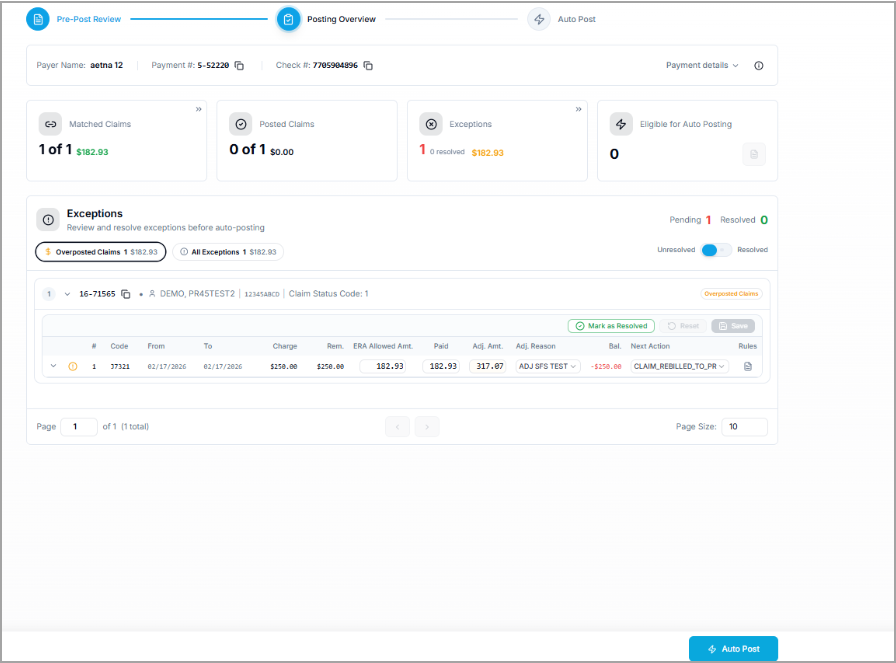
| Overposted Claims | Claims where the balance is negative | Correct the amounts and save the change.
(For this scenario, do not use the Mark as Resolved option.) |
| Procedure Code Mismatch | Mismatched Procedure Code | Match the line from this screen and select Mark as Resolved |
| Invalid Line Status | Line status does not reflect the actual status of the claim | Correct the line status and select Mark as Resolved. |
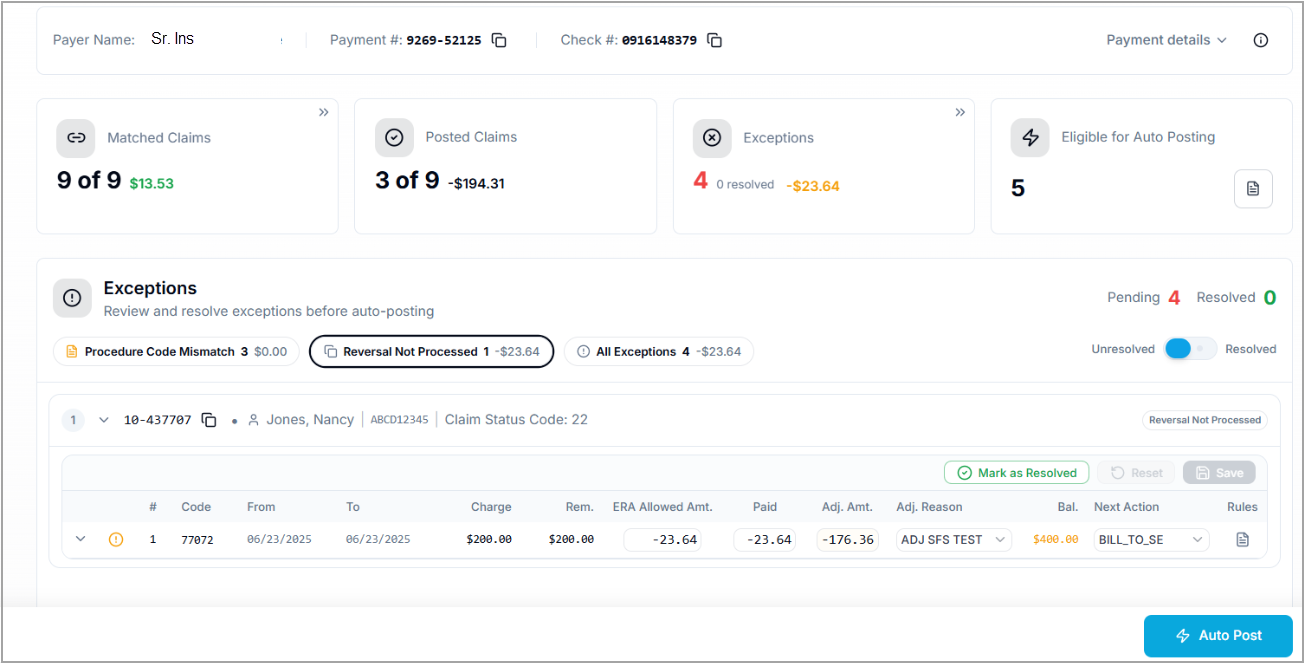
| Reversal Not Processed | Claim with status code 22 not processed | The most likely scenario for this type of exception is due to an insufficient amount in the claim to process the reversal. Review the claim and balance the amount manually before proceeding. |
| Denial with Patient Responsibility | Here, the claim status code is 4, Paid amount is zero, and PR >= 0. | Move the line status to the next responsible party and save the change before proceeding. |
| Claim Not Found | A matching claim was not found | Manually try to match the claim with the claim # or else with the patient’s name and DOB. |
ERA Exception Page Showing Reversal Not Processed
ERA Exception Page Showing Overposted Payments
Was this helpful?
Thanks for your feedback!