

Description
Purpose of immunization report screen is to view and submit the immunization [vaccination] to registries. Currently, PracticeSuite is connected to the following registries:
-
TEXAS
-
New York
-
North Dakota
Search Screen of Immunization Report

Search Filters of Immunization Report
| Field | Description |
| Patient | Type in a few letters of patient name and select a patient to view records specific to the patient |
| Ordering provider | Select an ordering provider to view records related to that provider |
| Sent Status | ALL/Sent/Not Sent |
| Immunization Date | Select a date range for Immunization |
| Active Records only | Select this checkbox to exclude inactive records from the list |
Immunization Report
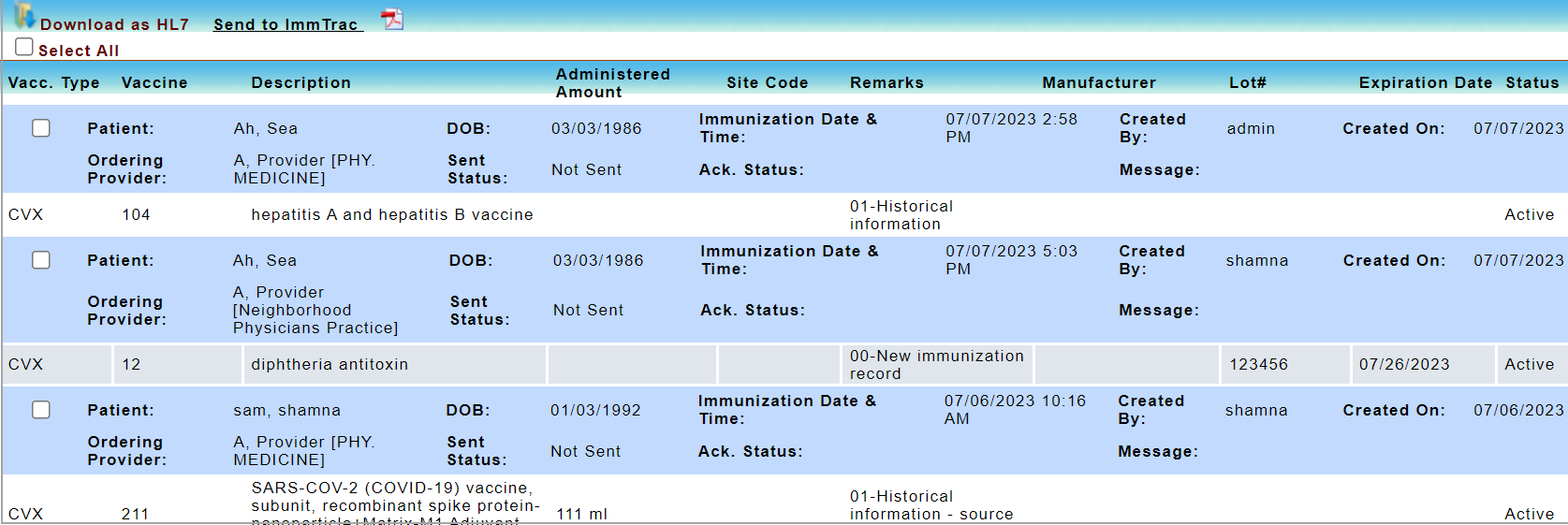
Possible Outputs of Immunization Report
| Output | Description |
| HL7 | To download the report in HL7 format |
| Send To | To send the report to the state registry |
 |
PDF output |
HL-7 Message Updates for Immunization Registries
1. Dynamic Next of Kin (NK1) Mapping: This ensures that the immunization system uses a patient’s actual emergency contact details in HL7 messages instead of defaulting to “SELF.” The system now automatically pulls the contact’s name, relationship, and phone number from the patient’s demographics to ensure the accurate next of kin information is sent to the registry. If no emergency contact is on file, the patient’s own information will be submitted.
2. Preferred Language: Patient language preferences are captured and transmitted within the HL7 message to ensure compliance with registry data requirements.
3. VIS Info: HL-7 messages sent to the immunization registry will include the VIS (Vaccine Information Statement) published date for each vaccine, determined by the vaccine’s CVX code. If a VIS published date is not available for a given CVX code, the field will be left blank to avoid transmitting incorrect information.