

1. How does a mid-level provider access the New Crop site without restrictions?
Assign the provider to a supervising provider. For this, go to Security → User. Identify the user from the listing and click on  on the far right. In the user edit screen that pops up, a drop-down for supervising providers can be seen; select one and save the changes.
2. Why am I not able to view Prescriptions? I am prompted for a login ID and password when I try to view the Prescription.
You are encountering this due to the SameSite security features enabled in your Chrome browser.
Solution:
You will have to disable some of the SameSite settings under Chrome://flags.
1. Open Chrome
2. In the browser search bar, type “chrome://flags”
3. In the Search flags field, type, “Samesite”
4. Select Disabled from the dropdown options.
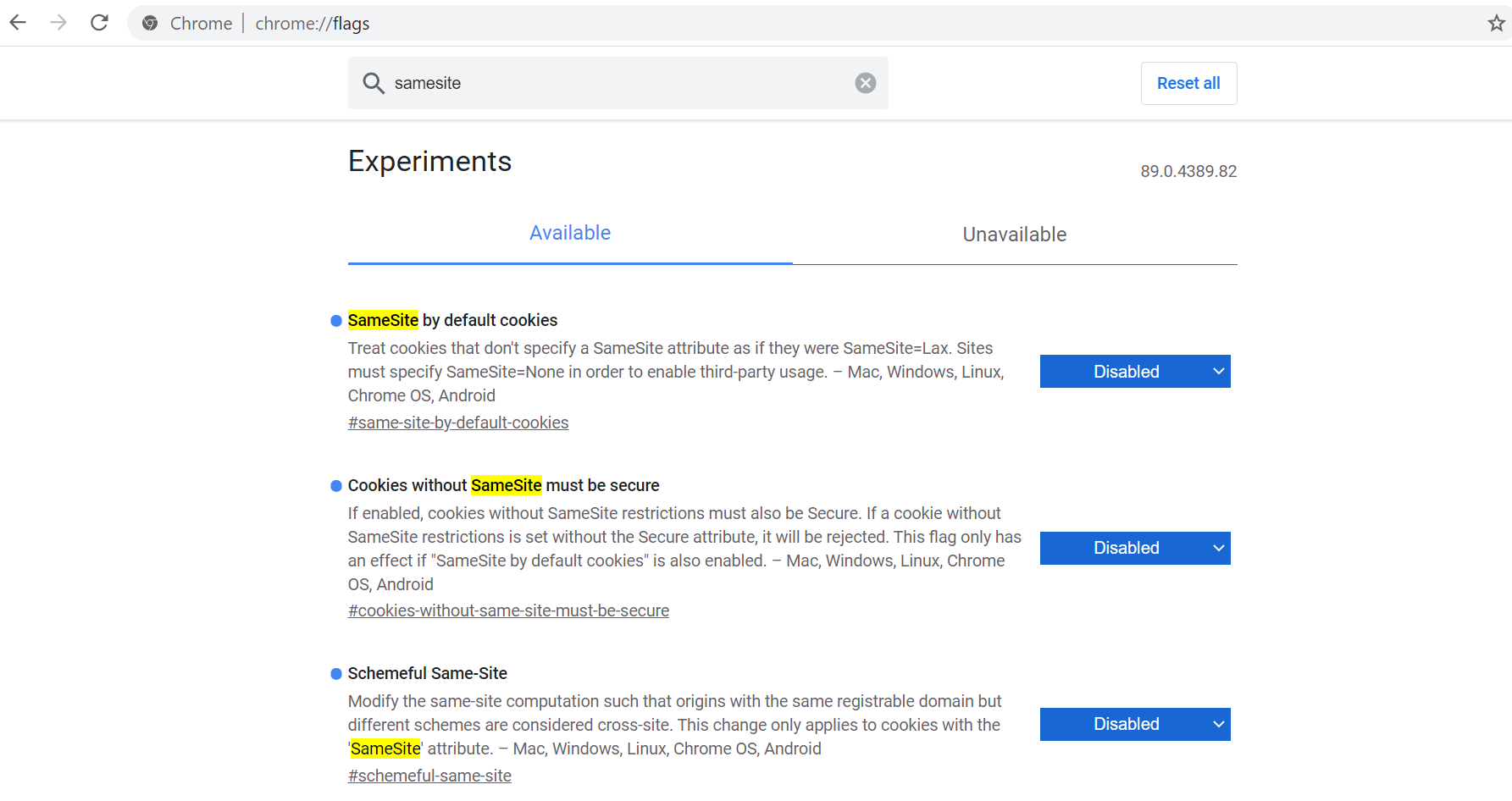
5. Select Relaunch at the bottom of the window.
